Stock is only available on Sage Accounting Plus. To upgrade, read how to upgrade your Sage subscription.
If you buy and sell products, hold enough stock to meet demand without tying up too much cash.
Accounting helps you manage stock and keep the right amount available for your customers. After you create your stock list, we update stock levels and record the value each time you buy or sell products.
Resolution
Enter opening stock balances
Before you use stock inventory in Accounting, make sure the value of any stock you already hold appears in Accounting.
Enter a stock adjustment for the number of items you currently hold for each stock item. This keeps stock levels correct.
Enter a journal for the total value of all your stocks between your stock account and suspense account. This keeps your stock value correct.
Stock (Balance sheet)
Debit
Suspense account (Profit and Loss)
Credit
Ask your accountant where to move this value at year-end.
Stock item records
Each record holds information about your stock item.
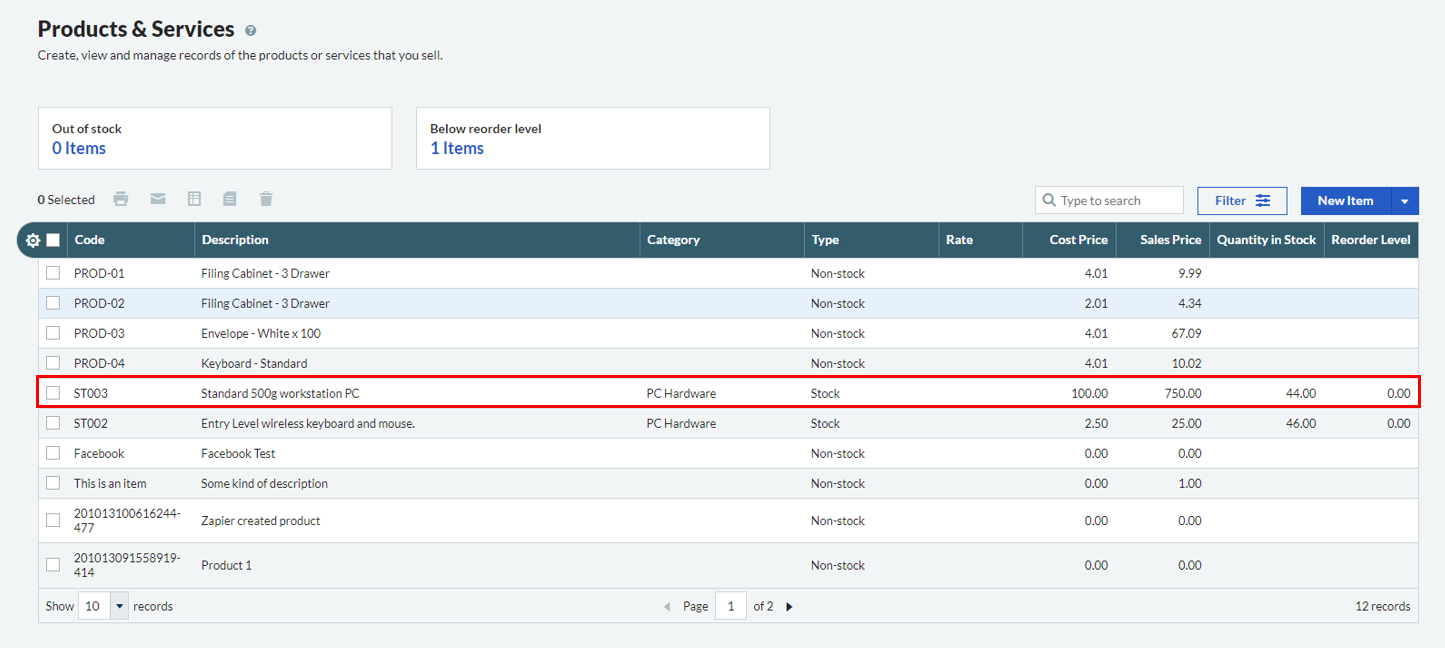
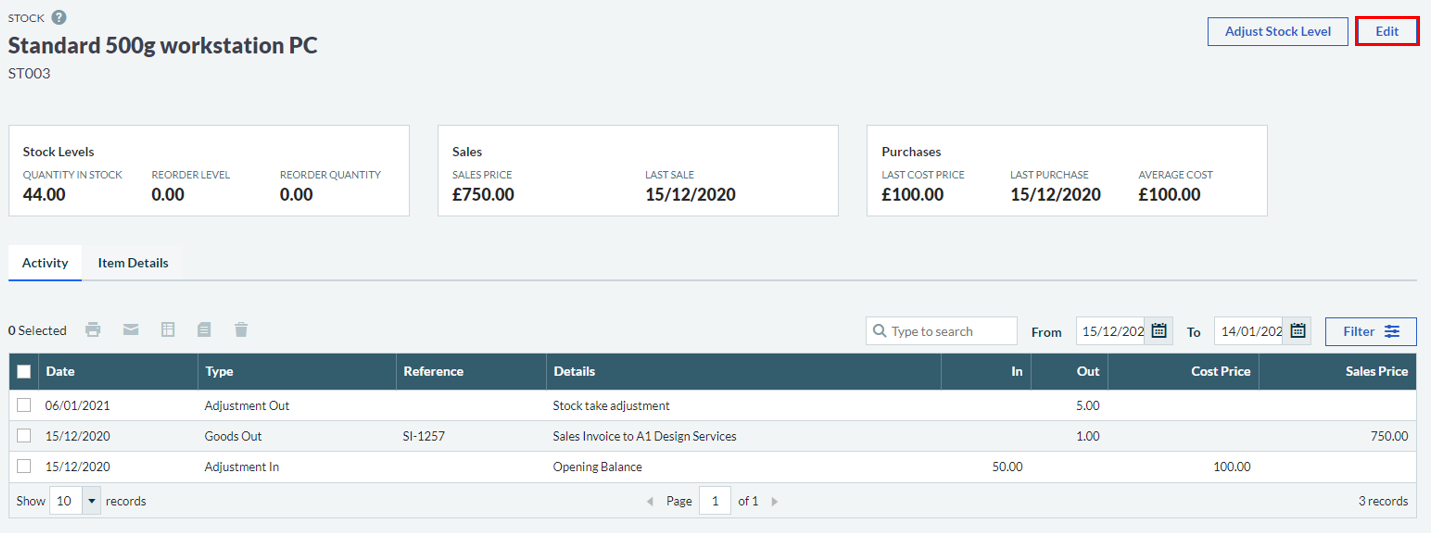
Access it by selecting an item from your stock list and then selecting Edit to make changes.
You can set a default for the record and change it on each invoice. A default helps make sure you post sales to the correct accounts.
Purchase price
The cost price of the item. This is the price used by default on purchase invoices.
Purchase Account
You use the nominal account to record the purchase.
We recommend that you use an Asset account from the Balance Sheet. This is so that when you buy the item, it represents an asset to your business. When you sell the item, you need to post a journal to account for the cost and move it to your Profit and Loss.
Reorder level
The Products and Services list shows the reorder level so you can see when to reorder items.
Stock movements
When you add stock items to invoices and credit notes, the stock record automatically updates stock levels and values.
Accounting records stock movements when you buy and sell stock.
The movement type shows whether you added or removed stock.
The system decreases the stock level and shows the transaction on the stock item's Activity tab.
Note: You can’t add a stock item to an invoice if you don’t have enough in stock.
Sales credit note
Negative Goods Out
The system increases the stock level when the customer returns goods.
It shows the transaction on the stock item's Activity tab.
Note: To raise a credit for a price change only without affecting stock levels, reverse the original invoice in full using a credit note. Then create a new invoice with the correct price.
Purchase invoice
Goods In
The system increases the stock level and updates the last cost price and average cost price on the stock item.
It shows the transaction on the stock item's Activity tab.
Purchase Credit Note
Negative Goods In
The system decreases the stock level when you return goods to the supplier. It also updates the last cost price and average cost.
It shows the transaction on the stock item's Activity tab.
Note: To raise a credit for a price change only without changing stock levels, reverse the original invoice in full using a credit note. Then create a new invoice with the correct price.
Add stock via an adjustment
Adjustments In
The system increases the stock level. It uses the cost price entered on the adjustment to work out the stock movement value.
It shows the transaction on the stock item's Activity tab and doesn't post it to your nominal ledger accounts.
Remove stock via an adjustment
Adjustments Out
The system decreases the stock level. It works out the adjustment cost by multiplying the stock record cost price by the adjustment quantity.
It shows the transaction on the stock item's Activity tab and doesn't post it to your nominal ledger accounts.
What are stock adjustments?
You use stock adjustments to change the number of items you have in stock. You typically use this to write off damaged stock or adjust quantities after a stock take.
Stock adjustments don't update the nominal ledger accounts.
When you first start using stock items, use adjustments to record how many items you currently have. The system then updates stock levels each time you add the item to a sales or purchase invoice.
Stock value
As well as tracking stock quantities, you need to record the value. Your stock value usually appears as a business asset on your Balance Sheet.
When you sell stock, it becomes a cost. It should appear on your Profit and Loss as a cost of sales. This ensures your Balance Sheet only shows the value of stock you still hold.
To record this, we recommend:
Record stock purchases against an Asset ledger account. Set a default nominal ledger account on the stock record so each purchase posts correctly.
When you sell stock, transfer the value of the sold stock from the Balance Sheet to the Profit and Loss using a journal. If you're unsure which nominal ledger account to use, contact your accountant for advice.
Alternatively, you can record stock purchases directly to your Profit and Loss. For details on how to do this, speak to your accountant or read our opening and closing stock guide.