NOTE: Plaid is a trusted third party that provides most of our bank feeds. If your bank will use plaid, it'll ask you for permission to connect to their services. For more information, visit plaid.com. Before you start Complete the preparation tasks for bank feeds
Check your connected services setup To check if you've connected your Sage account: - Log in to your software as Manager.
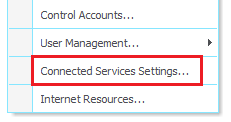
- Go to the Settings menu.
- If there's no Connected Services Settings option, you need to connect your connected services
- If the Connected Services Settings option exists, you can continue to set up bank feeds
Connect your Sage account - Go to Bank feeds then press Continue.
- Enter your First Name and Last Name then press Yes, I am the right person.
- Check your company information is correct, then press Continue.
- If you have a Sage account login, enter your login details, then select Log in.
- If you don't yet have a Sage account, select Create account.
- Enter your details, enter and confirm the password you want to use, then press Sign Up.
- Check your emails and enter the verification code you've received, then press Continue.
- When the Success. Your company is now connected window appears, select Close.
Set up Bank feeds - Go to Bank feeds then select Connect bank.
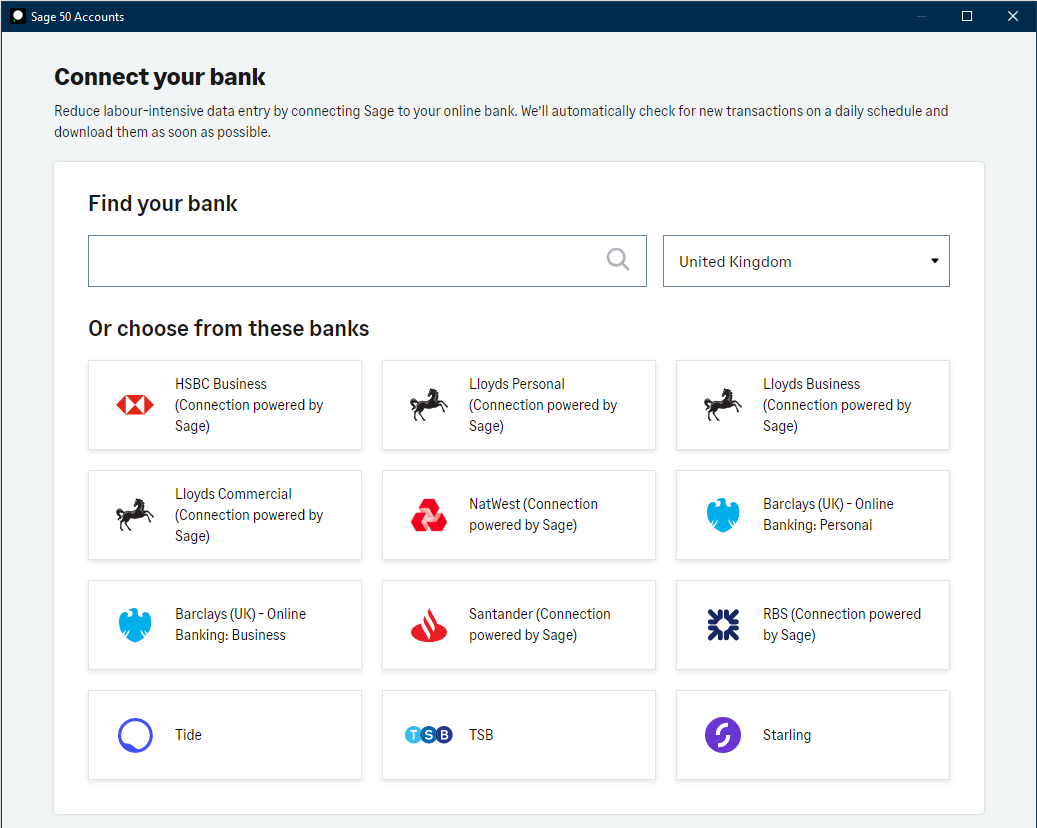
- In the Bank Feeds window, select the correct Country.
- Use the Find your bank box to search for your bank. Or, you can select it from Or choose from these banks list.
TIP: If you can't see your bank, type its name in the search box, then select Tell us about it.

- Select Continue then follow the on-screen instructions to connect to your bank. These steps are unique to your bank and can ask you to enter your online banking credentials.
- In Download starting from, select the historical date to start downloading transactions from, then press Continue.
NOTE: The start date must be in the last 90 days, but can be later depending on your bank. 
A window appears either confirming the connection, or with further authorisation steps from your bank.

- To complete the setup, press Finish.
You've now set up your Bank feed connection.
Next steps If your bank authorises the connection immediately during setup, start using bank feeds now. Your bank can require a physical authorisation form, if so, allow up to 10 working days. You can start using bank feeds once your connection activates.
Bank Feeds Security Statement: Security is of the highest importance regarding our bank connectivity. The Sage functionality that connects to your bank goes through annual external security certification to the latest security industry standards including ISO 27001 and SOC 2 certification.
For UK bank connections Sage and its providers use Open Banking which is the latest and most secure method to connect to a bank.
For EU Banks our connections to banks use PSD2 which is the latest and most secure method to connect to a European bank implemented by the European Banking Authority (EBA).
Both methods involve banks providing connectivity in a standardised format to the latest industry standard.
The information captured from your bank and passed through to Sage contains transaction information which includes the amount, date, type, and a description of the transactions, as well as account details which include: account name, type, account number, and balance. As you select the bank to connect to you will be presented with the information that will be captured as part of the connection as well as the terms and conditions of using the connection ahead of proceeding.
[BCB:372:Sales - Intacct:ECB] |