

Summary
Check your liability to Revenue in Sage Payroll.
Description
Use the liability reconciliation report to check your liability to Revenue. You can get the liability for each pay period in Sage Payroll.
Resolution
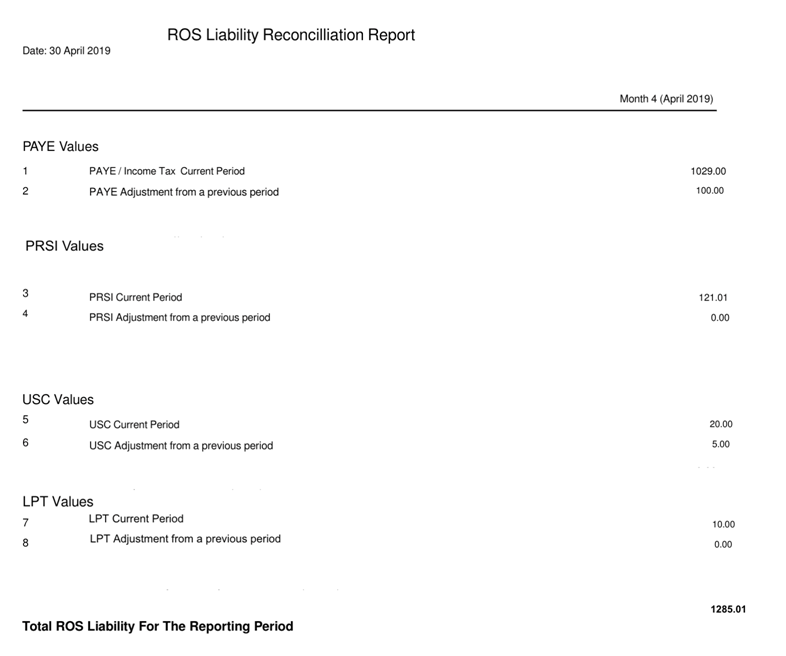
The report shows the total amount owed to the revenue and a breakdown for the selected report period.
About the report
The report is only available once all pay runs are complete for the reporting period. This can be monthly or quarterly.
- Shows a breakdown by PAYE, PRSI, USC, and LPT for reporting period, monthly or quarterly
- Shows the total amount due to the Revenue at the bottom of the report
- Once you record that you've paid the revenue for a given period, the report finalises. The values are not updated again, even if you amend a completed pay run
View the report
Current period
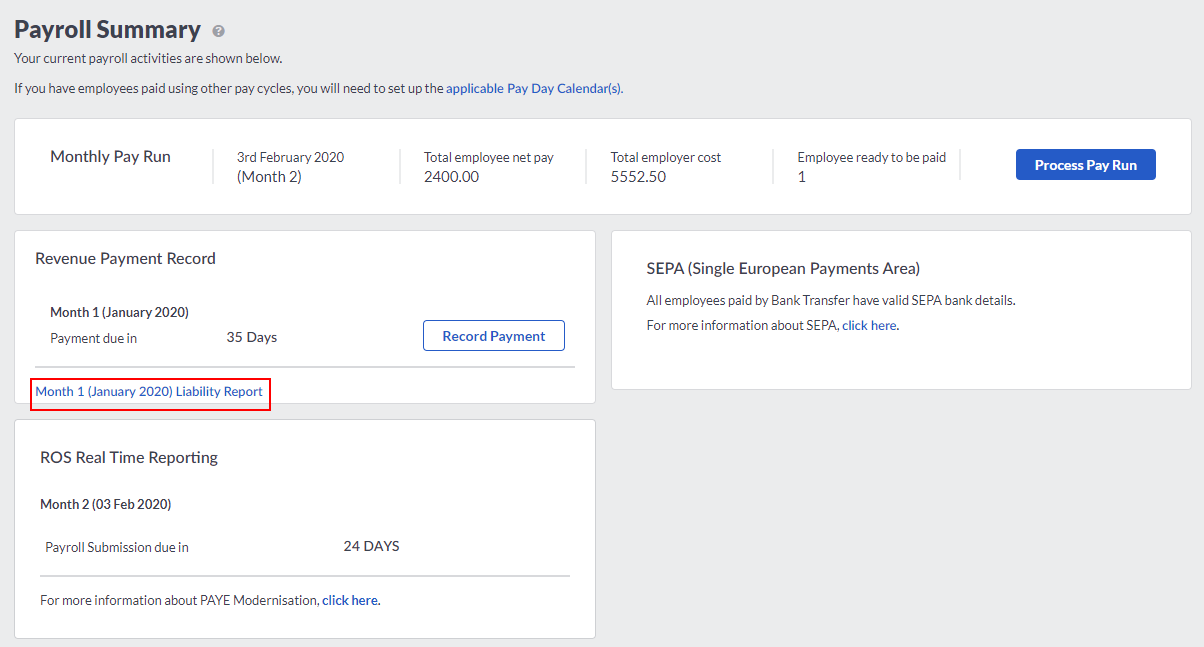
View the report for the current period from the Summary page. The link only displays when all current pay runs are complete.
From the Payroll Summary page, select the Liability Report link.


Previous period
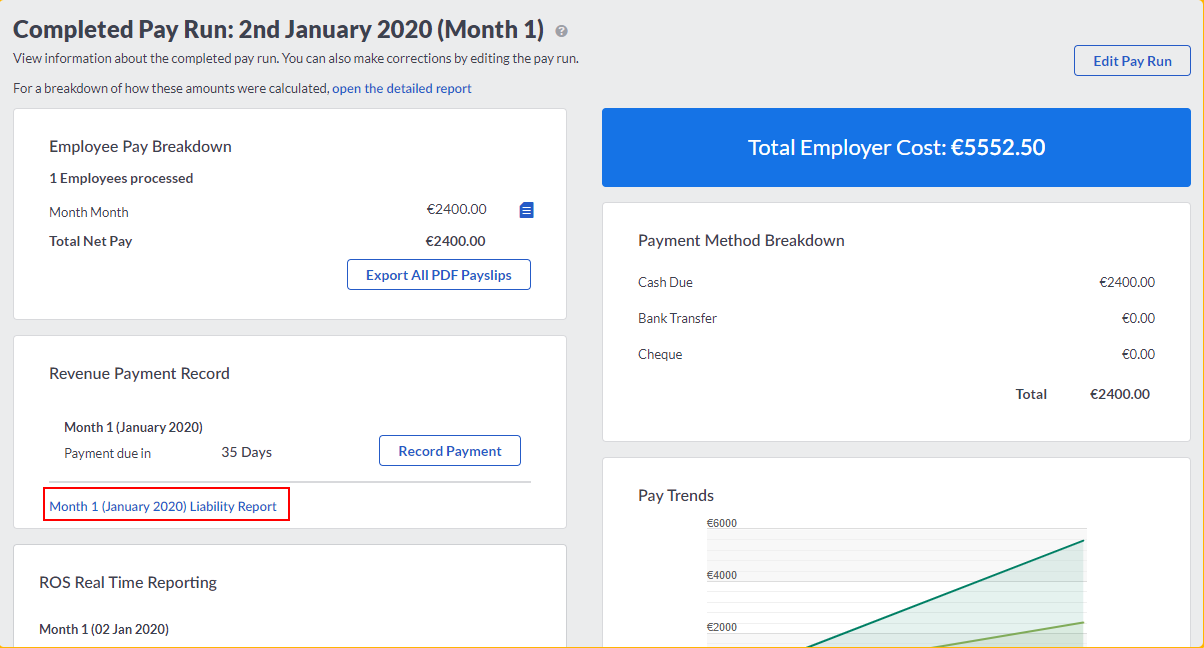
View the report for a previous period from the Completed Pay Run page. The link only displays when all current pay runs are complete.
From Pay Runs, open the pay run for the required period.
From the Revenue Payment Record, select Liability Report link.
 Africa
 Asia
Asia Australia
 Canada
 France
 Kenya
Kenya Nigeria
 Portugal
 South Africa
 Spain
Spain United Arab Emirates
 United Kingdom
 United States
 Germany