

Summary
Change what is shown on documents in Sage Accounting.
Resolution
The documents you send to your customers give them an immediate impression of your business. Customising them is an effective way to promote your brand. Add your logo for impact and association logos to promote trade or community relationships. You can also choose the layout, colour theme, and font to further enhance the look of your documents.
There are two areas that you will work in to customise your documents; Logo & Template Settings and Document Preferences. The image below shows where to go to change each item.
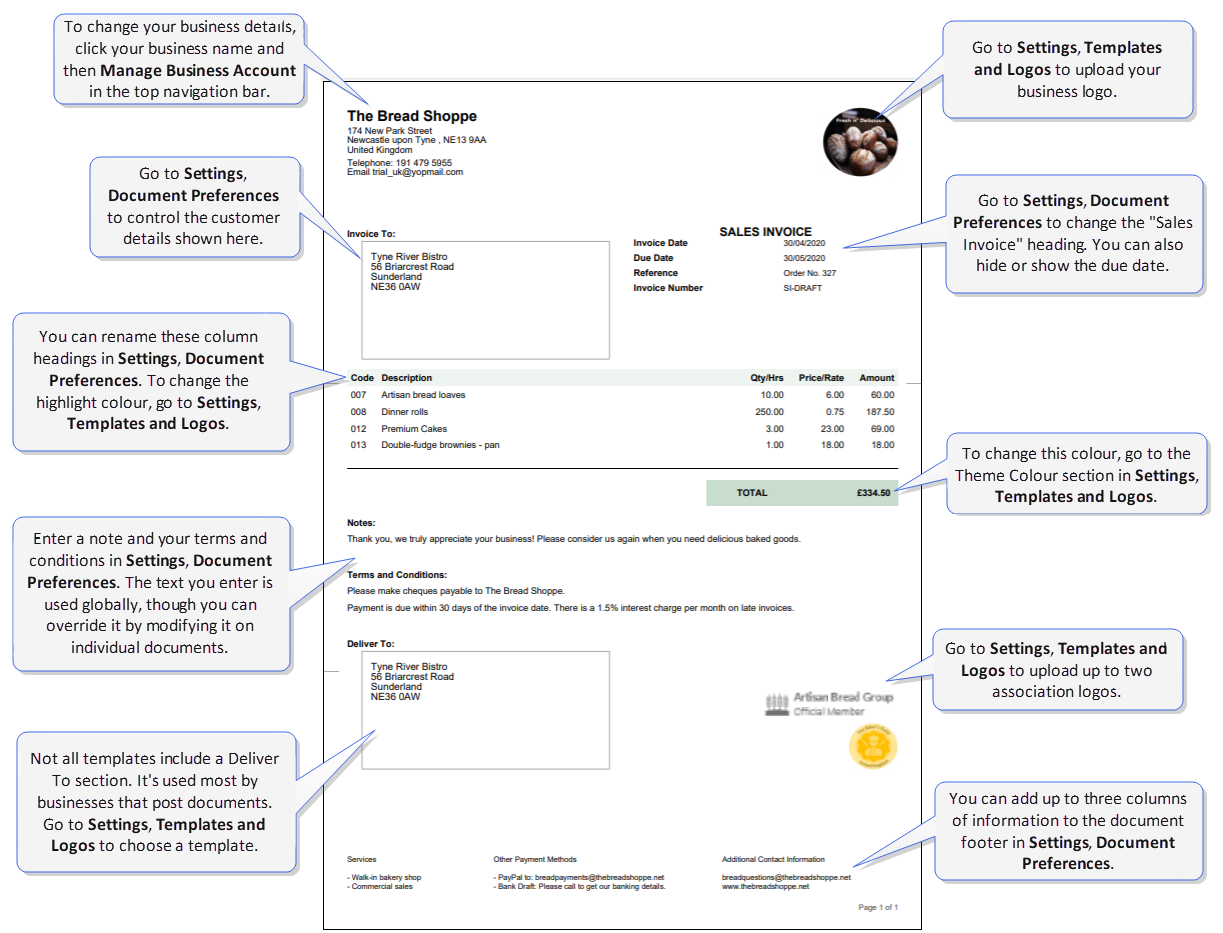
For more information about the settings in each area, see About Templates and Logos settings.
 Africa
 Asia
 Australia
 Canada
 France
 Kenya
 Nigeria
 Portugal
 South Africa
 Spain
 United Arab Emirates
 United Kingdom
 United States
 Germany